D365 projects stall when scope balloons before anyone touches the system. We help you pick the right Accelerator for your team, commit to a fixed price and timeline, and get Copilot in front of your users on day one.
D365 projects stall when scope balloons before anyone touches the system. We help you pick the right Accelerator for your team, commit to a fixed price and timeline, and get Copilot in front of your users on day one.
Plan projects, allocate resources, and track budgets in one system, so delivery stays on time and on budget instead of a spreadsheet guessing game. TrellisPoint implements Project Operations around how your project and delivery teams actually work.
One system for quoting, staffing, delivering, and billing a project
Dynamics 365 Project Operations connects project planning, resourcing, time and expense tracking, and financials in one platform, so project managers stop reconciling a schedule in one tool against a budget in another.
TrellisPoint implements it around your actual delivery process, whether you run fixed-fee engagements, time-and-materials work, or a mix, and connects it to Business Central or Dynamics 365 Finance for the financial side.
Unified Project Management
Planning, resource scheduling, task assignment, and project financials live in one system instead of five.
Resource Optimization
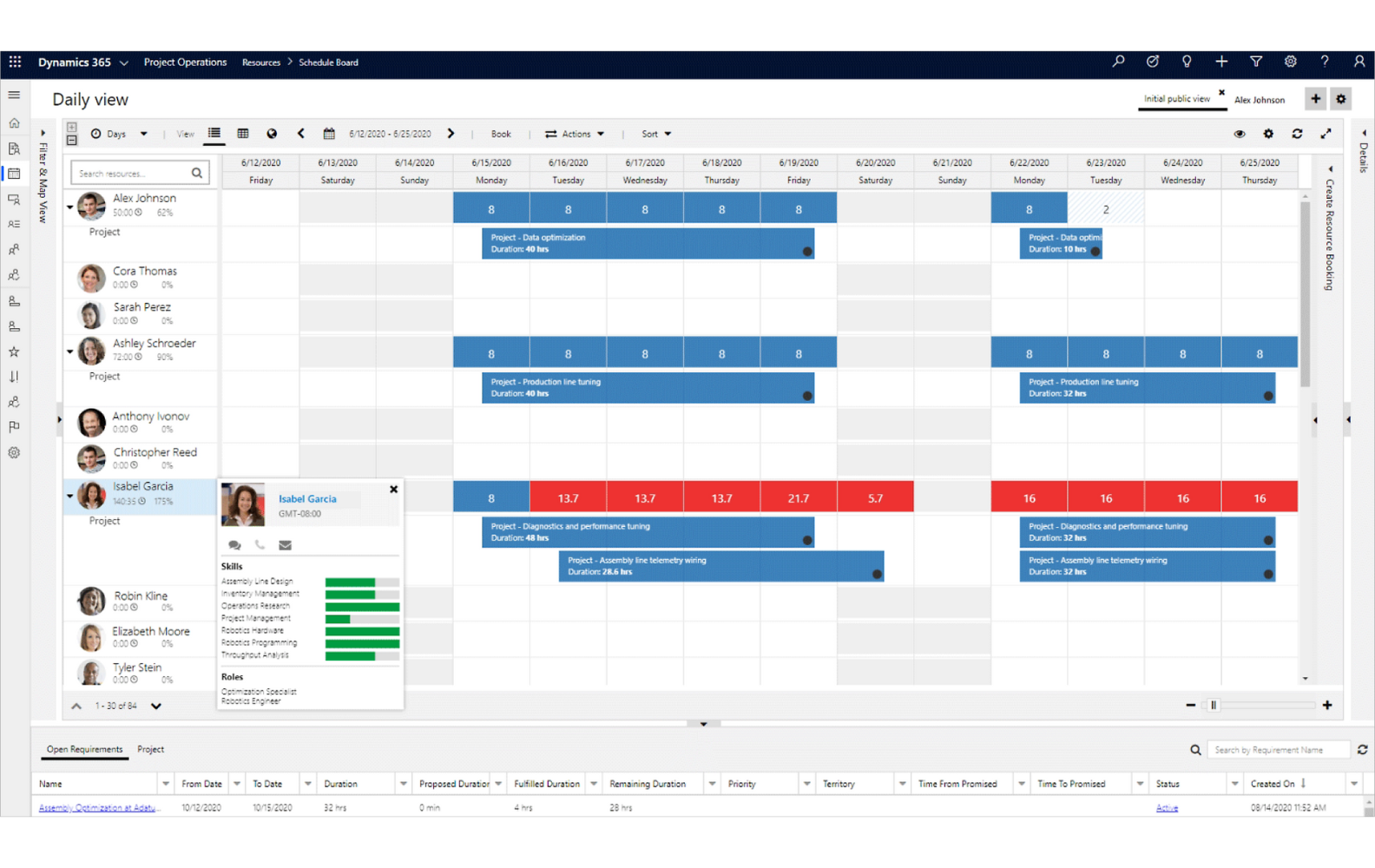
AI-driven scheduling matches the right resource to the right task by skill and availability.
Enhanced Collaboration
Teams, Office 365, and real-time updates keep everyone on the project working from the same information.
Advanced Analytics & Reporting
Power BI dashboards surface project performance, resource utilization, and financial metrics as they happen.
Project Operations Capabilities
What Project Operations lets your team do
Six capabilities that turn quoting, staffing, and delivery into one connected workflow instead of five disconnected tools. Pick one to see how it plays out.
Project financials tied to operations, not reconciled against them later
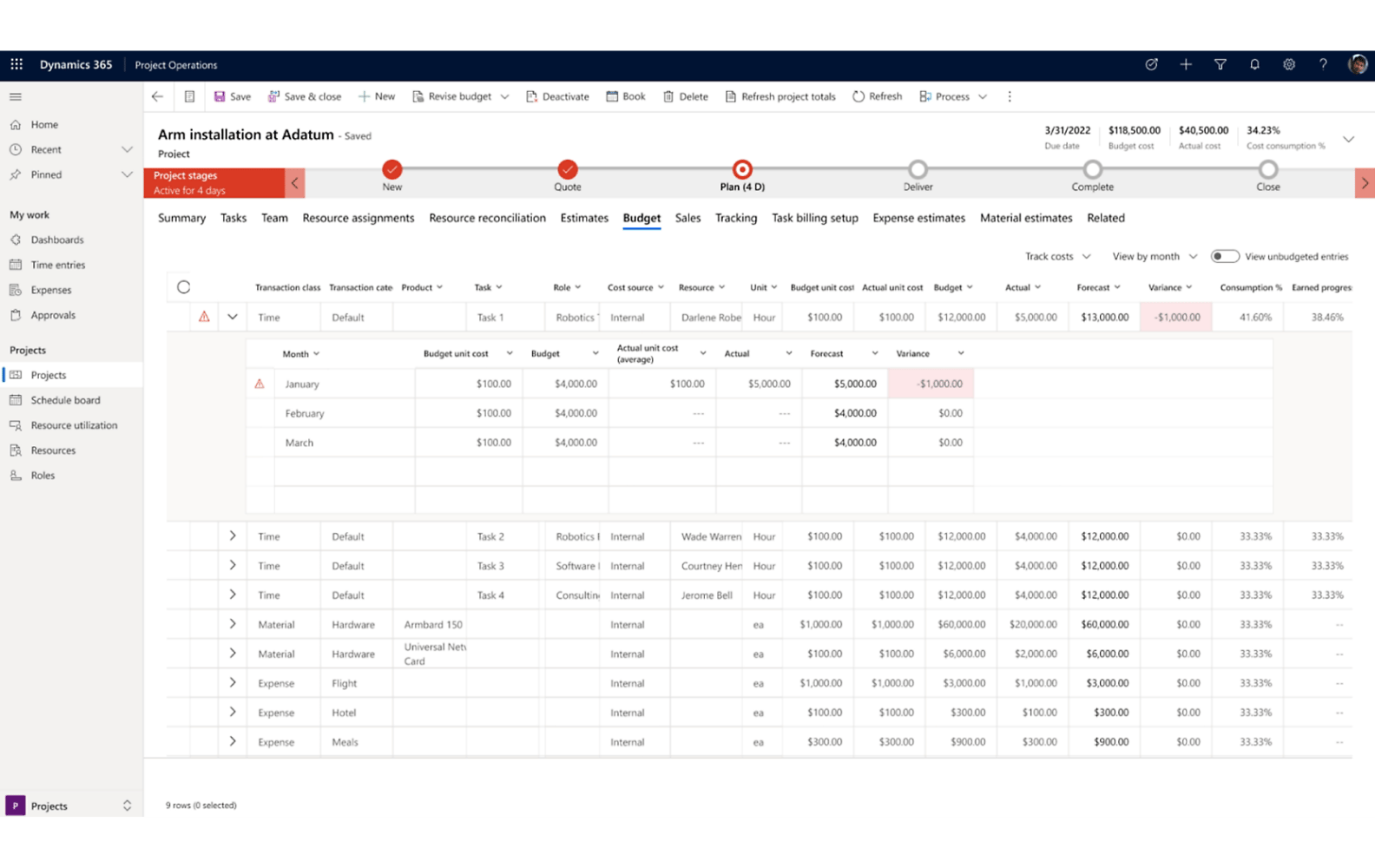
Budgets, forecasting, and invoicing run against the same data as scheduling and resourcing, so profitability tracking reflects what is actually happening on the project instead of a month-end guess.
Financials integrated with operations, not a separate reconciliation step
Fewer financial discrepancies between what is billed and what was delivered
Real-time profitability tracking at the project and portfolio level
The right person on the right project, based on skill, not a guess
AI-driven scheduling matches resources to tasks by skill, availability, and project requirements, so staffing decisions come from data rather than whoever happens to be free.
AI-driven resource matching by skill, availability, and requirements
Less downtime and fewer mismatched staffing assignments
Resource profiles that make the next project easier to staff too
Stakeholders who stay informed without a status meeting
Teams and Office 365 are built into the workflow, so project updates and communication happen where the work already gets done, and stakeholders see progress without a dedicated status call.
Microsoft Teams and Office 365 integrated directly into project workflows
Real-time updates reduce communication gaps across the team
Stakeholders stay informed without a dedicated status meeting
Risk flagged while there is still time to do something about it
Risk management tools identify, assess, and track project risk as it develops, so delays and cost overruns get caught early instead of showing up as a surprise at the project retrospective.
Tools to identify, assess, and mitigate risk as projects progress
Proactive risk management instead of a post-mortem
Fewer surprise delays and cost overruns late in delivery
Hours and expenses logged from a phone, not reconstructed from memory
Built-in time and expense tracking, with mobile entry, cuts the administrative work of logging hours and submitting expenses, and keeps billing and utilization reporting accurate as a result.
Built-in time and expense tracking with mobile entry
Less administrative work logging hours and submitting expenses
More accurate billing and utilization reporting as a result
A first project plan drafted in minutes, not built from a blank schedule
Copilot can generate an initial set of tasks, durations, and start dates from a project name, then help by drafting risk assessments and status reports pulled from actual time, expense, and materials data.
AI-generated tasks, durations, and start dates from a project name
Draft risk assessments and status reports pulled from real project actuals
Continuous risk scanning flags patterns like recurring delays or budget creep
Enhance productivity, project tracking, and collaboration
Empower your teams to maximize contract wins, optimize resource utilization, accelerate project delivery, and gain valuable business insights from sales to project financials.
Shorten Deal Cycles
Use standardized templates to quickly develop detailed estimates, schedules, and pricing for quotes.
Align People to the Right Projects
Maintain resource profiles to easily match people's skillsets with projects and rate skills using proficiency models.
Track Projects to Budget
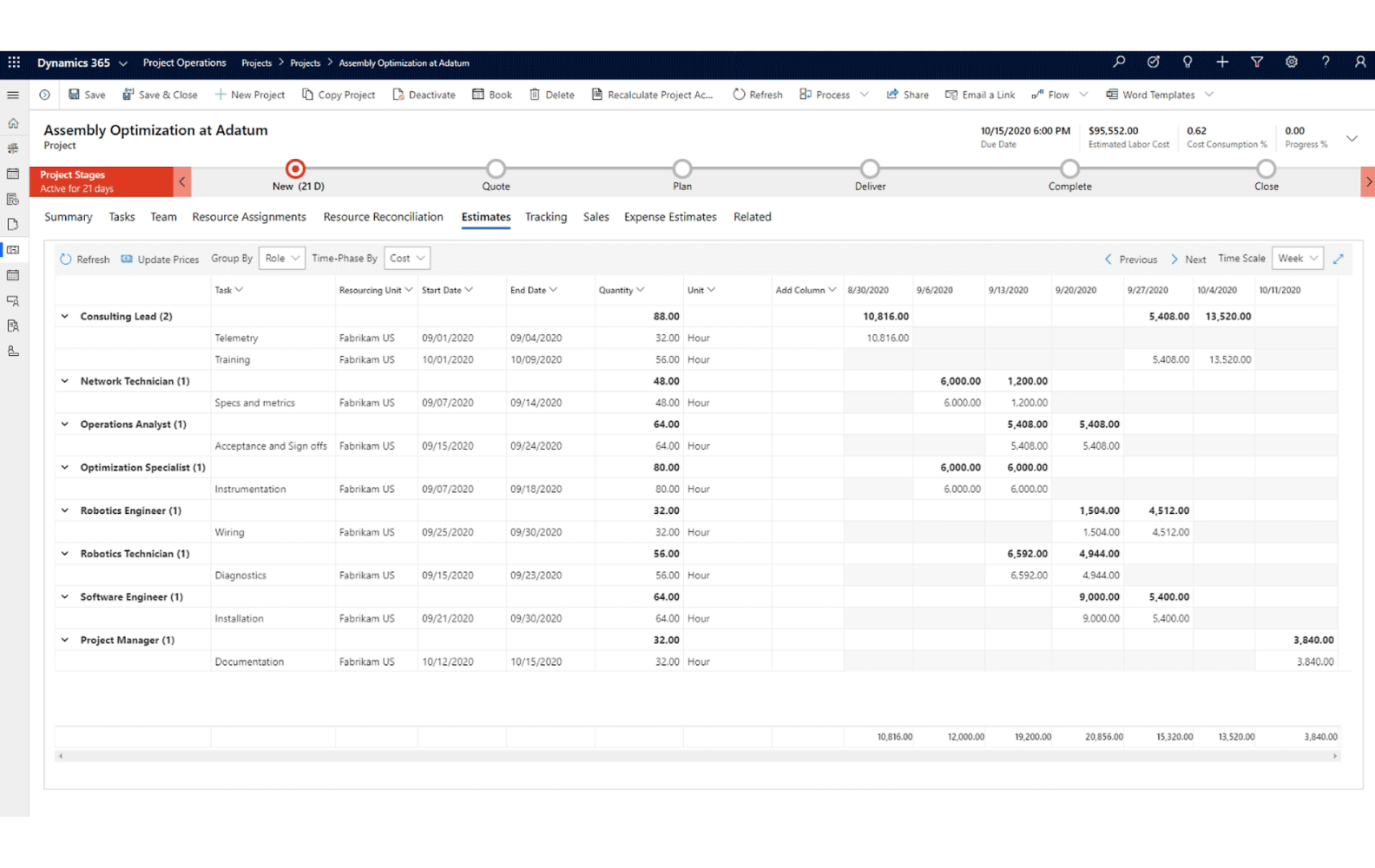
Develop accurate estimates for labor, expenses, and materials, and track budget-to-actual consumption as projects progress.
Get a Service-Centric ERP System
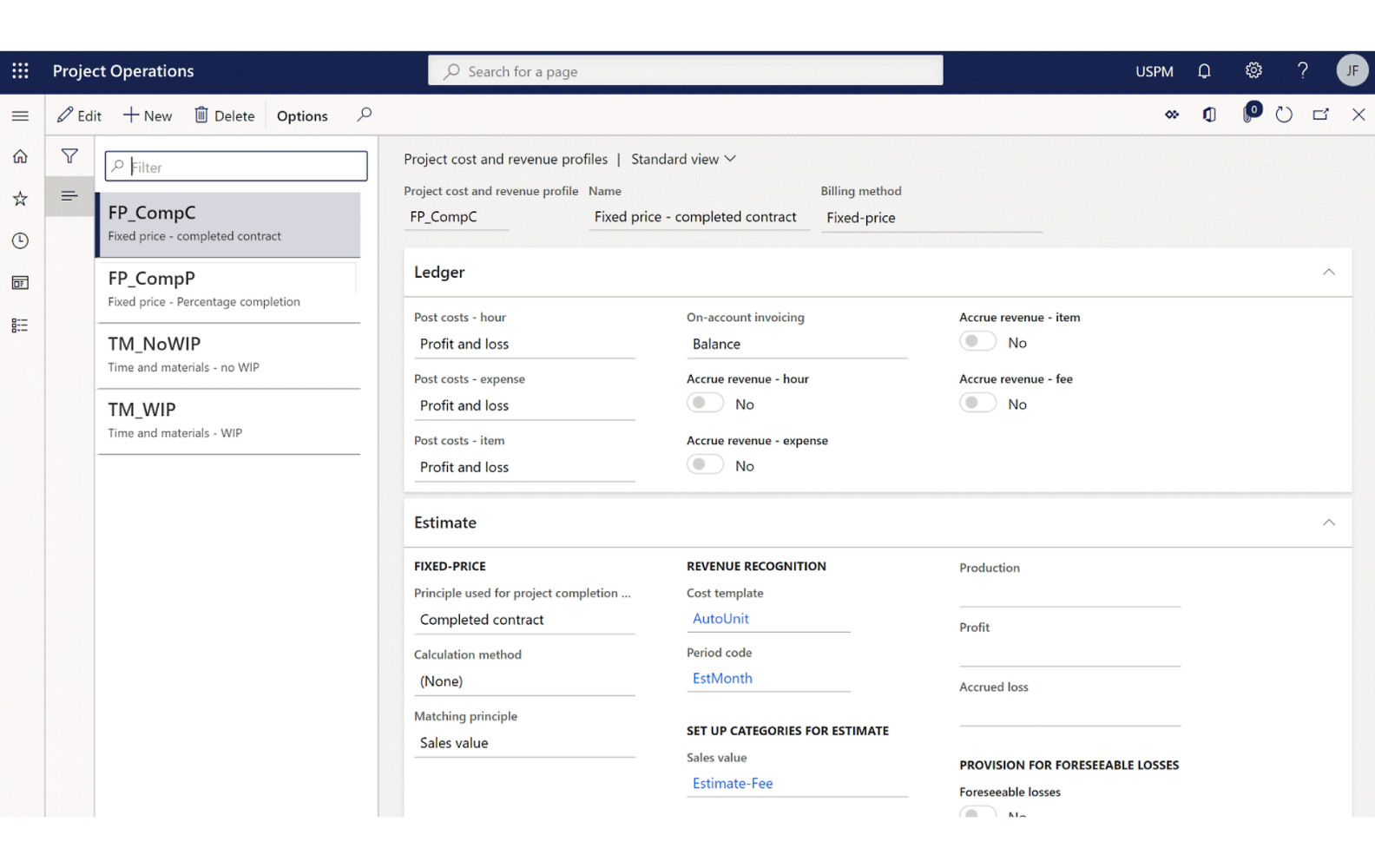
Interoperate with Dynamics 365 Finance or external ERP systems via open APIs to extend financial capabilities.
Who It's For
Built for the people managing the project and the people delivering it
Project managers need budget and risk visibility. Project teams need clear tasks and simple time tracking. Project Operations gives both without a second system.
For Project Managers
Integrated financials and operations that reduce discrepancies and improve profitability tracking
Real-time collaboration tools built on Microsoft Teams and Office 365 keep stakeholders informed
Risk management tools to identify, assess, and mitigate project risk before it becomes a delay
One unified platform across Dynamics 365 Finance, Sales, and Office 365
For Project Teams
Clear task assignments and scheduling so responsibilities and deadlines are never a guessing game
Mobile access to project details, tasks, and communication from anywhere
Built-in time and expense tracking that cuts down administrative work
Automation of routine tasks like time tracking and expense submissions
Power BI-powered dashboards, paired with structured AI rollout as adoption matures, for real-time insight into project performance
Popular Integrations
Popular integrations with D365 Project Operations
Because Project Operations lives in the same Microsoft cloud as Office, Dataverse, and the Power Platform, most integrations are configuration, not custom development.
Microsoft 365 and Office
Word, Excel, and Outlook handle data import/export, document management, and email communication, keeping project details accessible in familiar apps.
Dataverse
Dataverse (formerly Common Data Service) gives Project Operations a secure, unified data model shared consistently across applications.
Shared data across modules keeps resource scheduling, financial tracking, and operations synchronized in real time.
How TrellisPoint Helps
Our Project Operations services
TrellisPoint is a Microsoft Solutions Partner with 17+ years of Dynamics 365 implementation experience. We help you configure Project Operations around your real delivery model, then keep it producing value as your project portfolio grows.
Whether you're evaluating Project Operations for the first time, replacing a spreadsheet-based delivery process, or trying to get more out of a system you already have, we start with outcomes, not products. Share your goals and we will respond with practical next steps tailored to your environment.
✓ A direct conversation with a senior consultant focused on your objectives
✓ Clear, outcome-driven recommendations aligned to your business priorities
✓ A practical roadmap outlining scope, timeline, and next steps
If you do not see your question here, contact us and we will walk through your specific environment.
What is Microsoft Dynamics 365 Project Operations?
Microsoft Dynamics 365 Project Operations is a comprehensive project management solution that helps businesses manage project planning, resource scheduling, financials, and collaboration, ensuring projects are delivered on time and within budget.
How can Dynamics 365 Project Operations improve my project management?
Project Operations streamlines project planning, optimizes resource allocation, and provides real-time updates, ensuring efficient project execution and improved collaboration among team members.
What Copilot capabilities are included in Project Operations?
Copilot can generate an initial project schedule, including tasks, durations, and start dates, directly from a project name. It also drafts risk assessments and status reports by analyzing actuals like time, expense, and materials, and newer releases add continuous risk scanning that flags patterns like recurring delays or budget creep. Microsoft continues expanding these capabilities on its regular release cadence.
Is Dynamics 365 Project Operations customizable?
Yes, Dynamics 365 Project Operations offers extensive customization options. TrellisPoint can tailor the solution to fit your unique business processes and project management strategies, ensuring that it meets your specific needs.
How does Dynamics 365 Project Operations integrate with other systems?
Project Operations integrates seamlessly with other Microsoft products such as Dynamics 365 Finance, Dynamics 365 Sales, Business Central, and Office 365, and shares a unified data model with other apps through Dataverse. Third-party applications typically connect through the Power Platform or a custom integration.
How does Dynamics 365 Project Operations help in resource management?
Project Operations provides robust tools for resource scheduling and skill matching, ensuring that the right resources are allocated to the right tasks, reducing downtime and improving productivity.
Can Dynamics 365 Project Operations improve financial control over projects?
Absolutely. Project Operations integrates project financials with your operations, ensuring accurate budgeting, forecasting, and invoicing, and maintaining financial control over your projects.
How does TrellisPoint ensure a successful implementation of Project Operations?
TrellisPoint follows a comprehensive implementation approach that includes needs assessment, custom configuration, secure data migration, extensive training, and ongoing support. Our proven methodologies and experienced team ensure a smooth and successful deployment.