D365 projects stall when scope balloons before anyone touches the system. We help you pick the right Accelerator for your team, commit to a fixed price and timeline, and get Copilot in front of your users on day one.
D365 projects stall when scope balloons before anyone touches the system. We help you pick the right Accelerator for your team, commit to a fixed price and timeline, and get Copilot in front of your users on day one.
Serve more customers better and faster with AI built into the tools your agents already use. Copilot for Service surfaces the right answer, drafts the response, and automates the busywork. TrellisPoint helps you roll it out and connect it to your knowledge and CRM.
An AI assistant that works inside the tools your agents already use
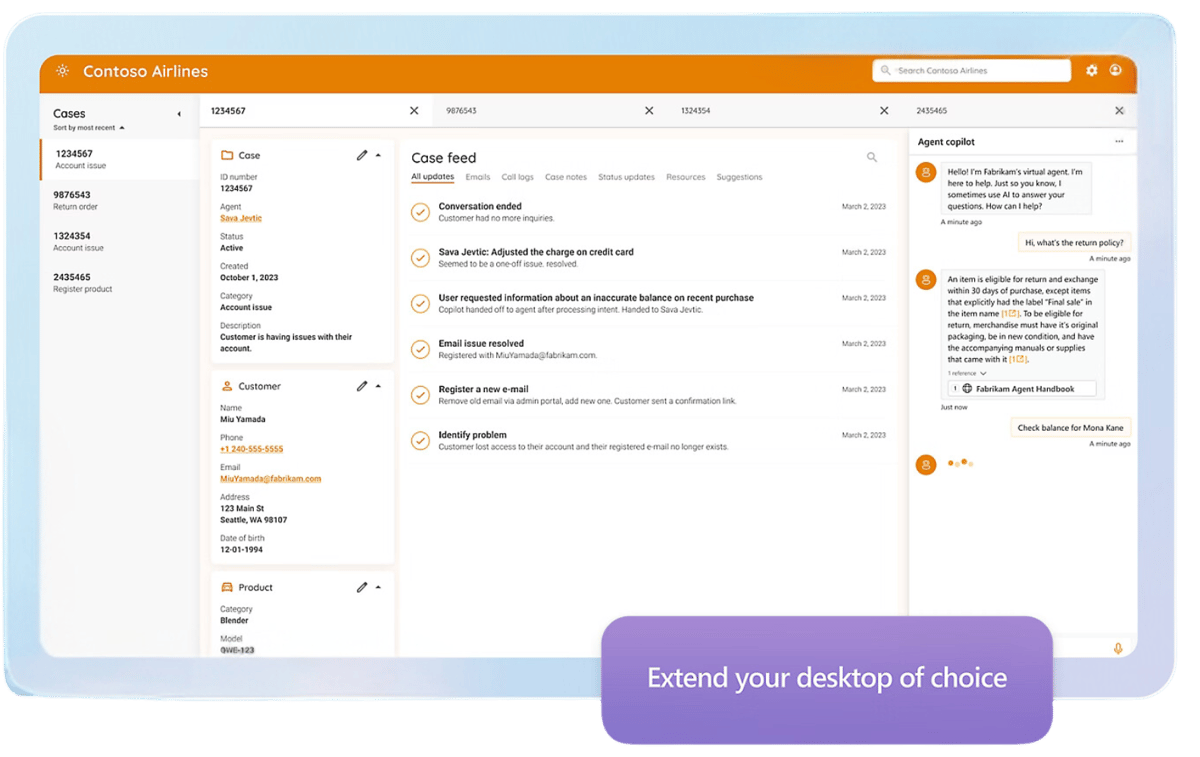
Microsoft Copilot for Service is a generative AI assistant that helps support agents resolve cases faster. It pulls answers from your knowledge sources, drafts context-aware responses, and automates routine work like logging calls and updating records. Because it embeds into Microsoft 365, Dynamics 365, and even third-party tools like Salesforce, ServiceNow, and Zendesk, agents get AI help without leaving the screen they already work in.
Microsoft 365 and Dynamics 365
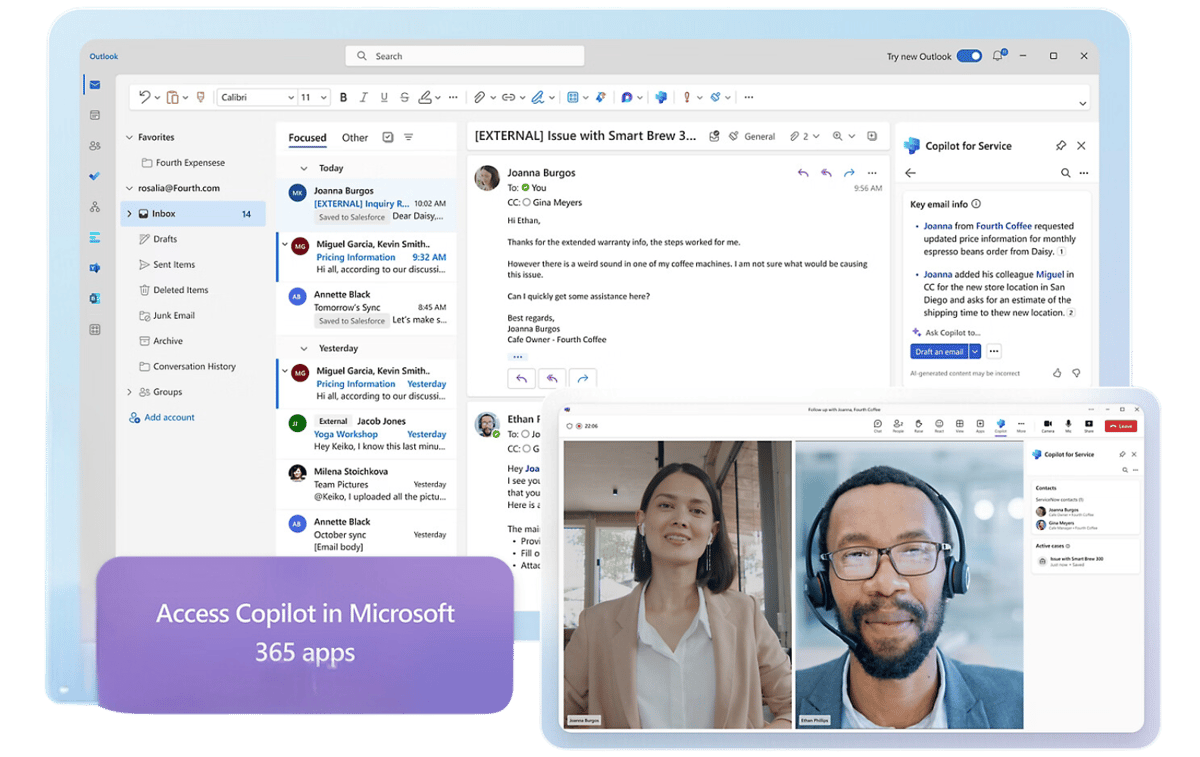
Works inside Outlook, Teams, and Dynamics 365 so agents summarize cases and update CRM in the flow of work.
Customizable AI models
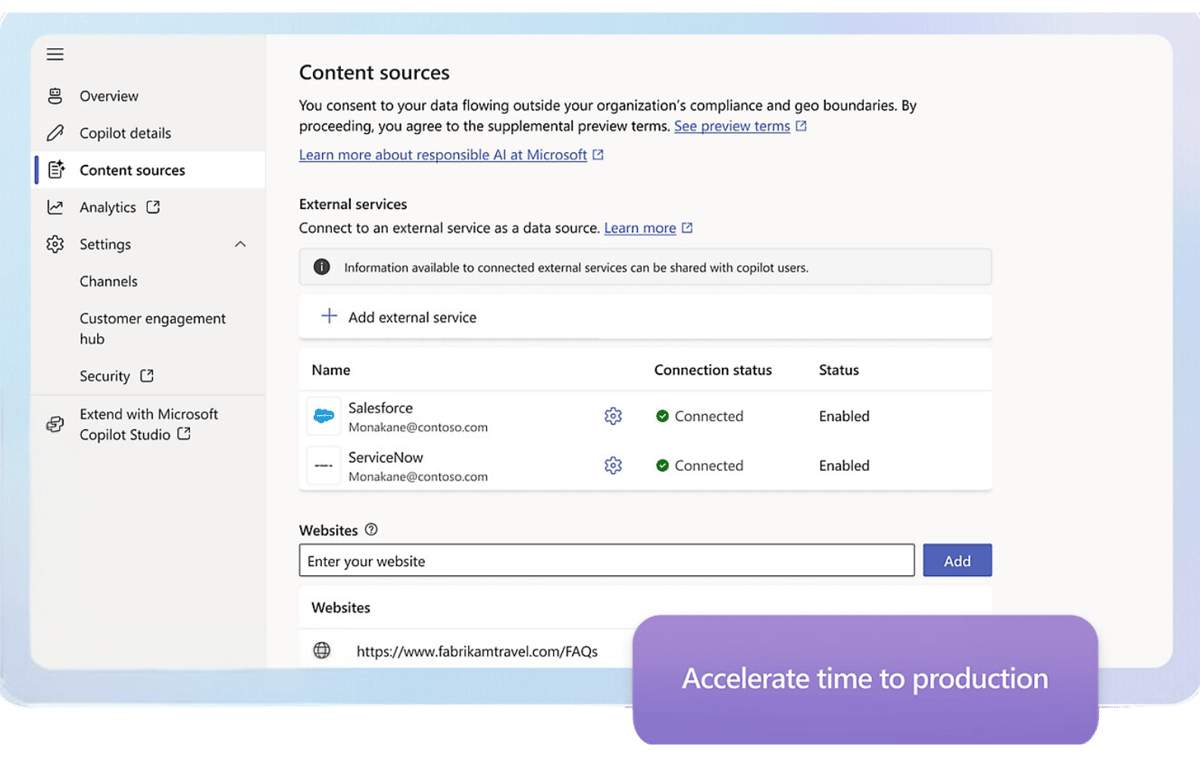
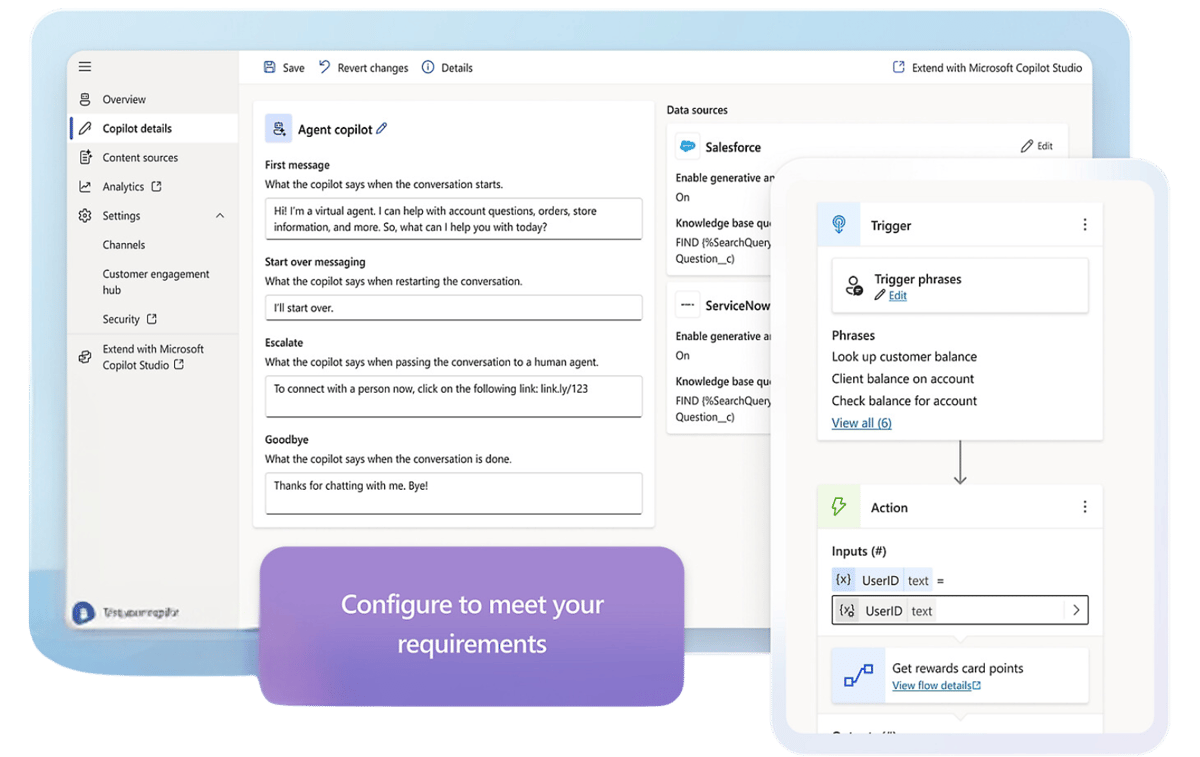
Tune the copilot to your business, terminology, and processes, and extend it further with Copilot Studio.
AI-driven interactions
Generates intelligent, context-aware responses to customer inquiries grounded in your data.
Instant access to information
Pulls relevant, accurate data from multiple sources in real time so agents answer with confidence.
Automate routine tasks
Logs calls, updates customer records, and drafts follow-up emails so agents focus on the customer.
Secure and compliant
Handles interactions and data on Microsoft's secure, compliant cloud to protect team and organization.
Copilot for Service Capabilities
What Copilot for Service lets your team do
Six capabilities that change the daily work of a support agent: from finding the answer to closing the case to keeping every interaction consistent.
Context-aware responses agents can send with confidence
The copilot generates intelligent, context-aware responses to customer inquiries and powers chatbots and virtual assistants for personalized self-service.
Context-aware draft responses grounded in your data
Chatbots and virtual assistants for self-service
Agents review and send instead of writing from scratch
The right answer, pulled from every source at once
The copilot pulls accurate, relevant data from multiple sources in real time, so agents resolve issues efficiently instead of hunting across systems for an answer.
Real-time answers pulled from multiple knowledge sources
No more switching tabs to track down an answer
Agents resolve issues faster and with more confidence
Tailored responses across thousands of conversations
The copilot analyzes customer data and suggests tailored responses, personalizing interactions at a scale no team could match manually.
Customer data analyzed to inform every suggested response
Personalized interactions across thousands of conversations
Scale without losing the personal touch
Respond faster without sacrificing quality
Real-time AI suggestions and automation of routine interactions help your team respond to inquiries swiftly, cutting the time between a question and a good answer.
Real-time AI suggestions speed up every response
Routine interactions automated end to end
Faster answers without cutting corners on quality
The same high-quality experience from any agent
The copilot standardizes and optimizes every interaction, so customers get a consistent, high-quality experience regardless of which agent picks up the case.
Interactions standardized across every agent and channel
Consistent quality regardless of agent tenure or experience
Fewer gaps between your best agents and the rest of the team
The busywork happens in the background
The copilot eliminates repetitive work like logging calls, updating records, and sending follow-up emails, so agents spend their time on the customer instead of the paperwork.
Calls logged and CRM records updated automatically
Follow-up emails drafted without agent effort
More agent time spent on the customer, not admin work
TrellisPoint is a Microsoft Solutions Partner with 17+ years of Dynamics 365 and Microsoft AI experience. We help you move from licensed to live, connect the copilot to your knowledge and CRM, and measure the value it returns.
Whether you are evaluating Copilot for Service for the first time or trying to get more value out of a pilot already underway, we start with outcomes, not products. Share your goals and we will respond with practical next steps tailored to your environment.
✓ A direct conversation with a senior consultant focused on your objectives
✓ Clear, outcome-driven recommendations aligned to your service goals
✓ A practical roadmap outlining scope, timeline, and next steps
If you do not see your question here, contact us and we will walk through your specific environment.
What is Microsoft Copilot for Service?
Microsoft Copilot for Service is a generative AI assistant for customer support teams. It connects to your knowledge sources and CRM, then helps agents by surfacing relevant answers, drafting context-aware responses, and automating routine tasks like logging calls and updating records. It embeds into Microsoft 365 and Dynamics 365, and can also be delivered inside third-party tools such as Salesforce, ServiceNow, and Zendesk, so agents get AI assistance in the tools they already use.
How can Copilot for Service improve my customer support?
It speeds up resolution by giving agents real-time answers pulled from your knowledge base, drafting responses they can review and send, and automating the administrative work that slows them down. New agents ramp faster thanks to contextual guidance, and interactions stay consistent because the AI standardizes quality across every channel and agent. The net effect is faster response times, higher first-contact resolution, and a better experience for both customers and agents.
Is Copilot for Service customizable?
Yes. You can tune the copilot to your business terminology, knowledge sources, and processes, and extend it well beyond the defaults using Microsoft Copilot Studio to build custom topics, actions, and agents. TrellisPoint helps configure it to match how your service team actually works and connects it to the data and systems your agents rely on.
How does Copilot for Service integrate with other Microsoft products?
Copilot for Service works natively with Microsoft 365 (Outlook, Teams, SharePoint), Dynamics 365 for CRM and case data, and the Power Platform (Power Automate, Power Apps, Power BI) for automation and analytics. It also integrates with Slack and can be embedded into non-Microsoft service tools like Salesforce, ServiceNow, and Zendesk, so the AI follows your agents wherever they work.
How does Copilot for Service handle data security?
Copilot for Service runs on the Microsoft cloud and inherits its enterprise security and compliance posture, including encryption, role-based access control, and adherence to industry regulations. Responses are grounded in the data sources you authorize, and access is governed by the same identity and admin model as the rest of your Microsoft environment, protecting both your team and your customers.
Can Copilot for Service be scaled as my business grows?
Yes. Because it is built on the Microsoft cloud, Copilot for Service scales with your team, your channels, and your knowledge sources. You can start with a focused use case, prove the value, then expand to more agents, more tools, and more automated scenarios. TrellisPoint helps you plan a rollout that grows in deliberate phases rather than all at once.
How does TrellisPoint ensure a successful implementation of Copilot for Service?
TrellisPoint brings 17+ years of Dynamics 365 and Microsoft AI experience to every engagement. We start with your service goals, connect the copilot to the right knowledge and systems, configure and extend it with Copilot Studio where needed, and set up security and governance before rollout. We then train your agents and provide ongoing support so the platform keeps delivering value as you scale. Our AI Value Engine framework keeps the rollout tied to measurable outcomes.





.png?width=64&height=64&name=Power%20platform%20logo%20(2).png)